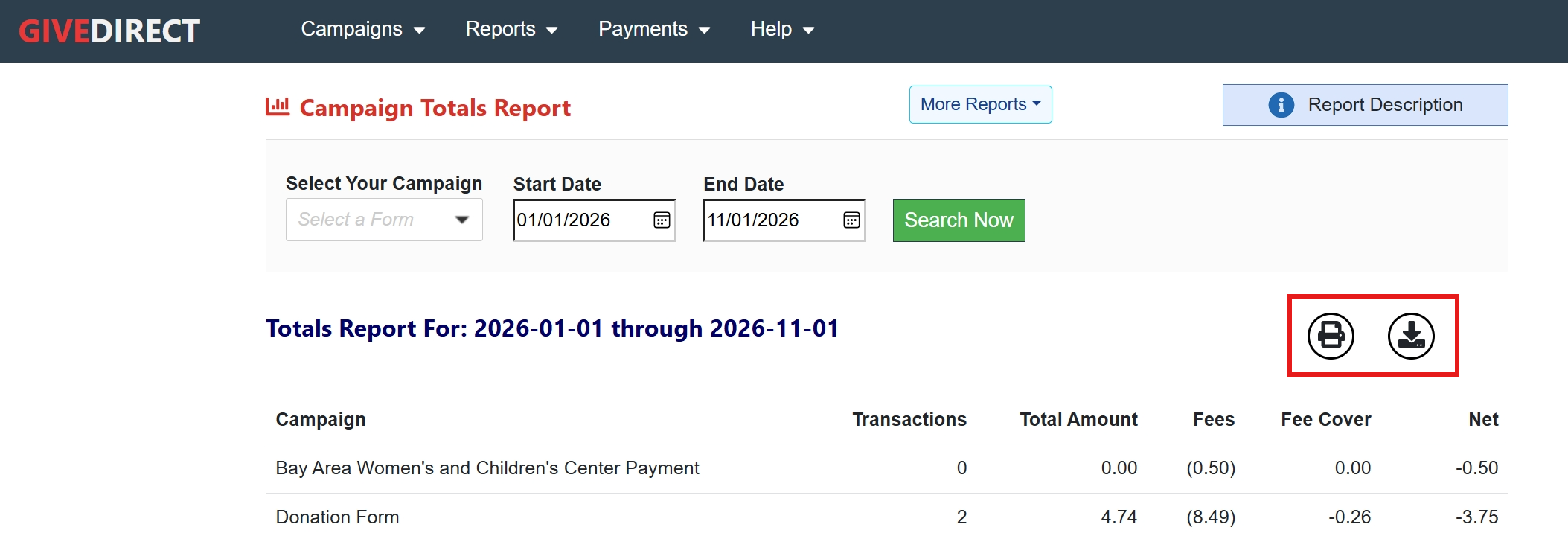
Campaign Summary Report
Understanding the Campaign Summary Report
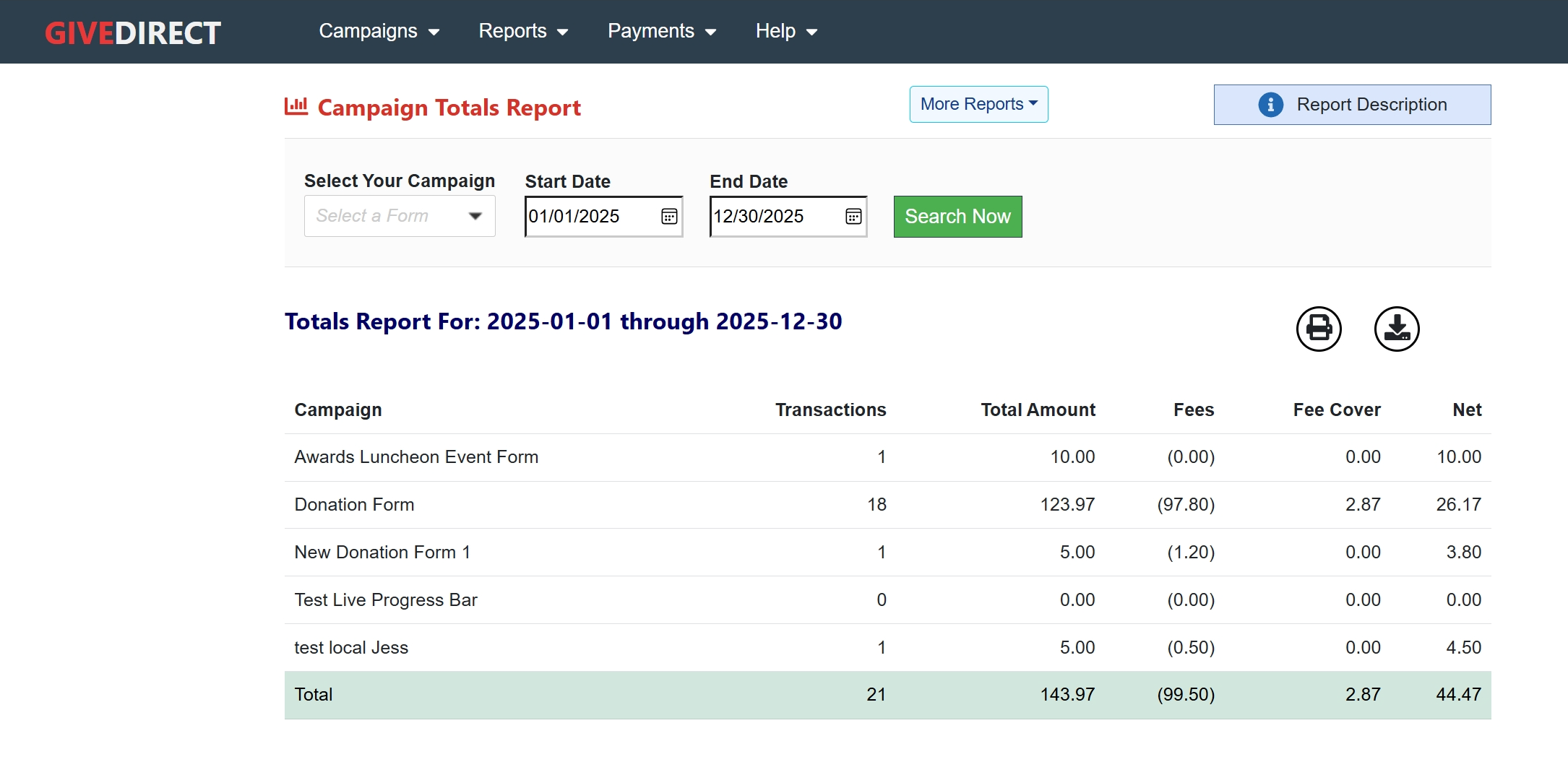
This is a financial report that shows you a summary of fundraising activity for a selected time period. Information returned in the report will include total number of transactions, gross amount, processing fee, fee cover (fees paid by the donor) and the net proceeds you received for the period.
How to generate a Campaign Summary Report
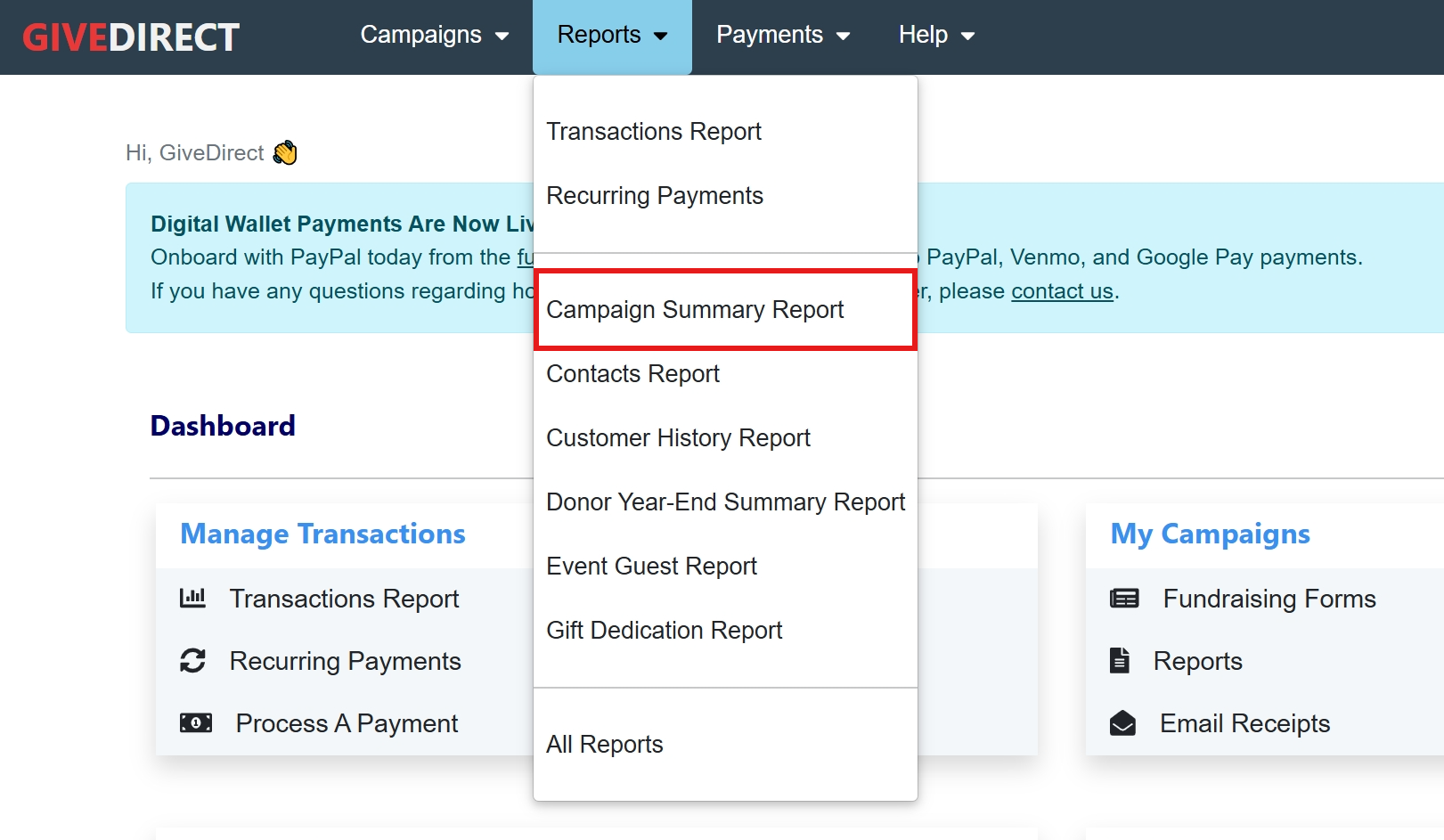
Navigate to the page by selecting "Campaign Summary Report" from the reports dropdown menu.
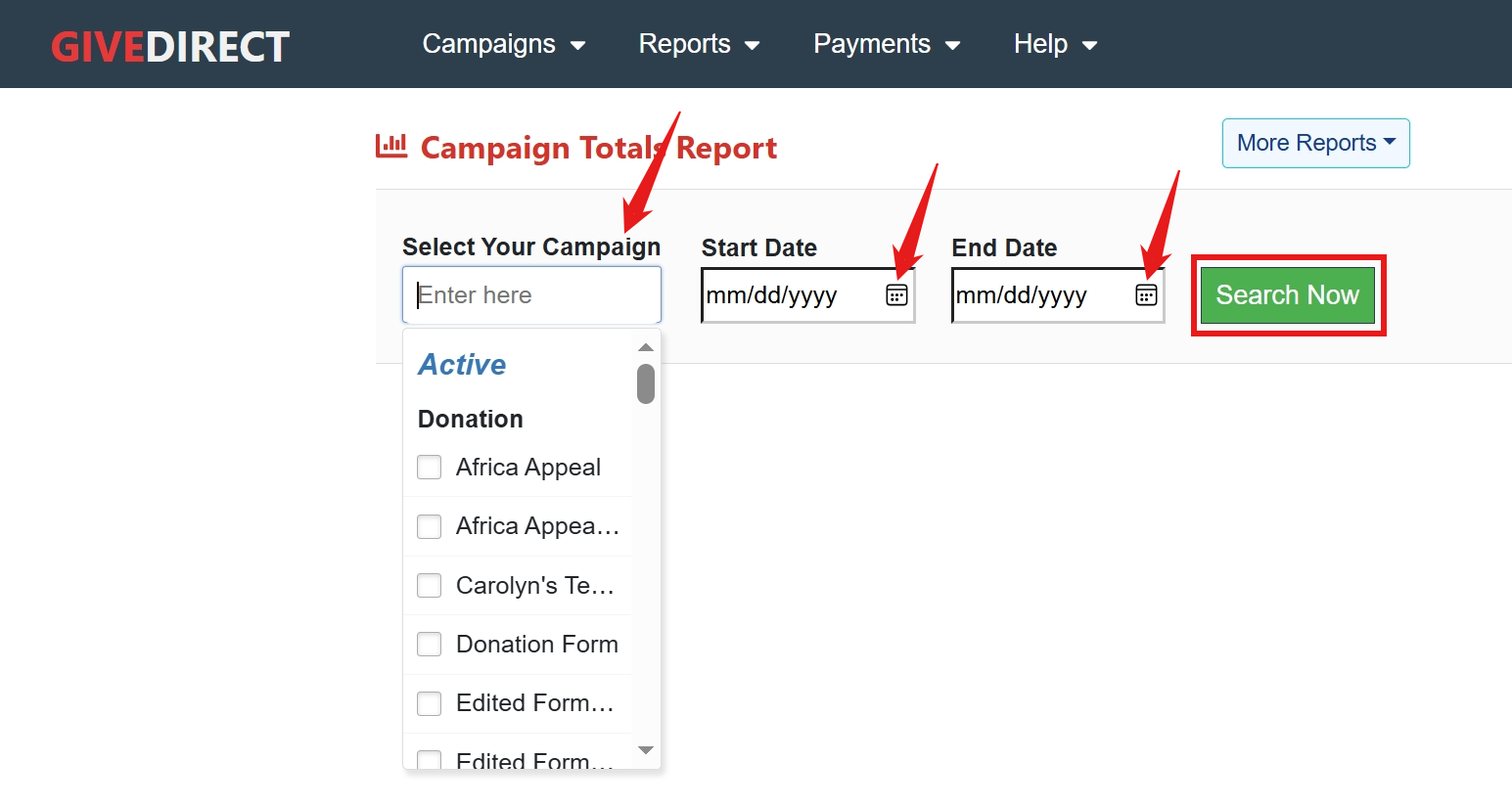
Select the campaign(s) you want to see in the report by using the Campaign drop down menu. Then select the date range you want to look at (cannot exceed one year) and click "Search Now".
Here is an example of a yearly summary for one campaign.
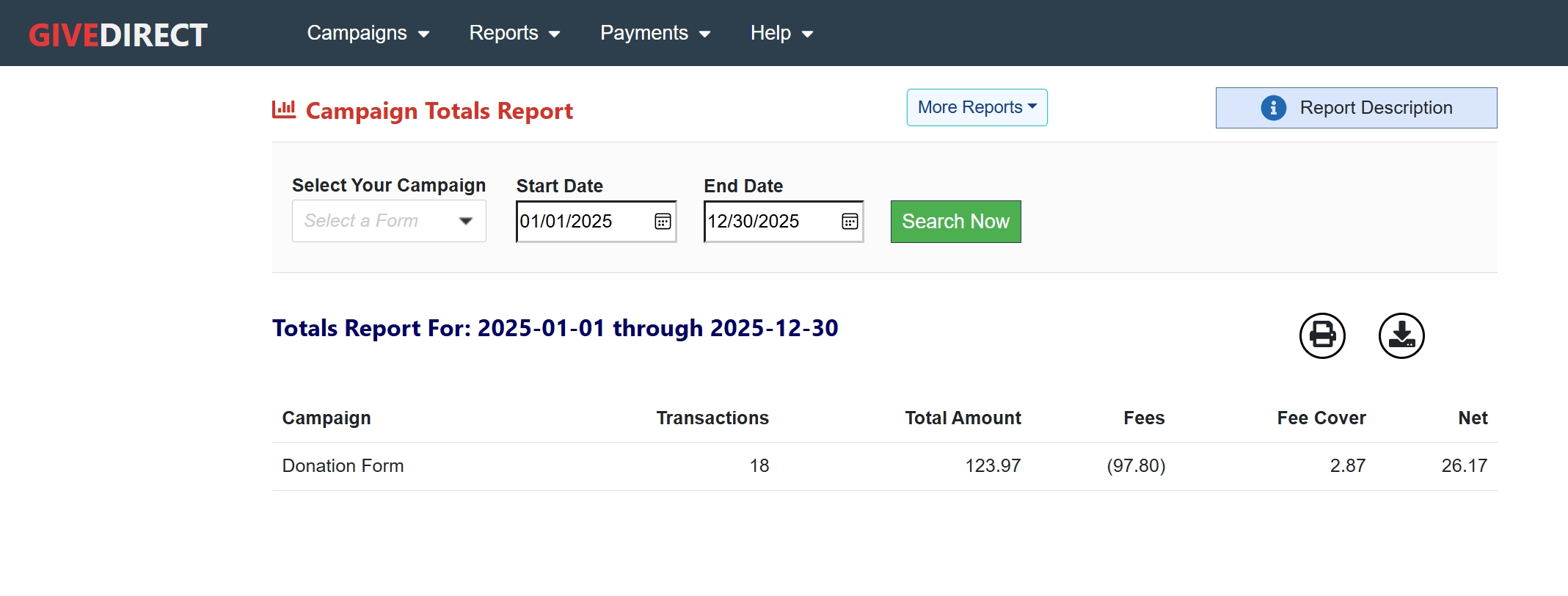
Alternatively, if you want to view all activity in a specified date range, you can leave the Campaign selection empty and just input the start date and end date.
Downloading or Printing your Campaign Summary Report
To download or print your Campaign Summary Report, click the print or download button on the top right of the report.
NOTE: when you download the report it will download as an excel file.